Sign Board Wall 3D Mockup: A Designer’s Tool for Realistic Signage Presentation
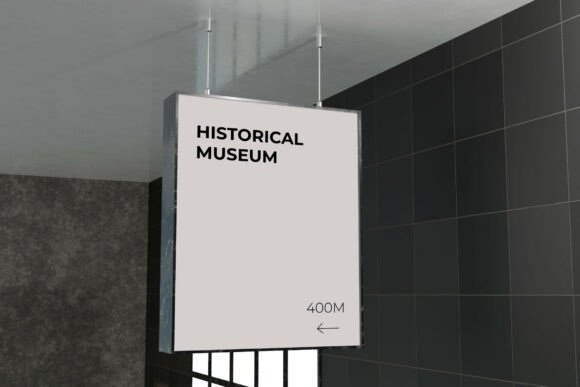
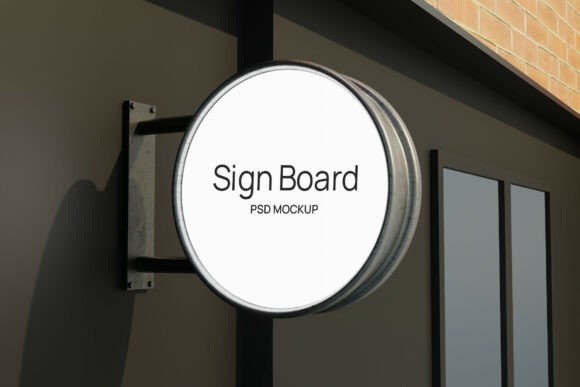
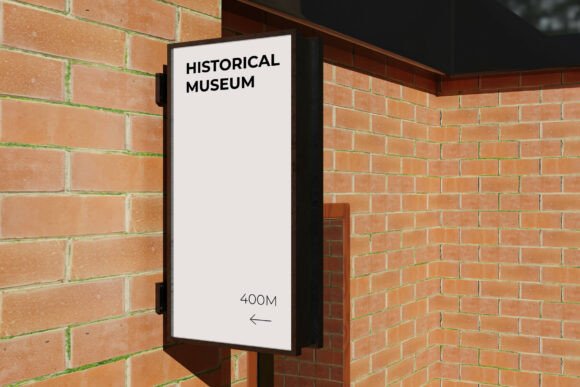
The Sign Board Wall 3D Mockup is an essential resource for designers and branding professionals looking to showcase signage concepts in a lifelike setting. This mockup features a clean, architectural design with a rectangular wall-mounted sign placed against a textured brick wall, illuminated by warm natural daylight. It’s ideal for visualizing how signage integrates into heritage or historical environments, making it a versatile choice for a wide range of creative and commercial projects.
Understanding the Design and Features
At the core of the Sign Board Wall 3D Mockup is its attention to detail and realism. The mockup includes:
- Smart object layers that allow for easy customization—simply double-click the layer, insert your design, and save.
- A high-resolution size of 4000 x 3000 pixels at 300 dpi, ensuring crisp and professional output.
- A classic brick wall background that adds depth and texture, perfect for heritage or urban settings.
- Warm daylight illumination that enhances visibility and gives a natural feel to the presentation.
These features combine to offer a realistic preview of how signage will appear in actual environments, without the need for on-site photography or physical prototypes.
Who Benefits from Using This Mockup?
The Sign Board Wall 3D Mockup serves a broad audience, particularly those in the fields of design, architecture, and branding:
- Brand designers can use it to present logo and identity signage to clients in a visually compelling way.
- Museum curators can visualize directional signs, exhibit labels, or entryway branding in a historically appropriate setting.
- Event venue coordinators can test directional or informational signage for weddings, conferences, or art shows.
- Architectural signage studios can integrate the mockup into presentations for new builds or renovations.
This mockup is especially useful for professionals who need to convey the look and feel of a final product before it’s physically produced.
Real-World Applications and Use Cases
Let’s explore a few practical examples of how the Sign Board Wall 3D Mockup can be applied across different industries:
- Museum Identity Signage: Curators can mock up entry signs or exhibit identifiers to ensure they match the building’s aesthetic and are easily readable.
- Gallery Branding: Art galleries can test how their logos appear on exterior walls, ensuring they blend with the environment while standing out.
- Historical Venue Signage: Restoration projects can visualize signage that complements original architecture without clashing with heritage elements.
- Outdoor Directional Signs: Event planners can see how directional signs will look in natural lighting conditions, helping them choose the right fonts and colors for visibility.
These scenarios highlight the mockup’s versatility and its ability to bridge the gap between concept and reality.
Strengths of the Sign Board Wall 3D Mockup
Several key advantages make this mockup a go-to tool for visual presentations:
- Time-saving: Eliminates the need for on-site photography or building physical mockups.
- Professional output: High-resolution files ensure that final visuals are print-ready and suitable for client presentations.
- Customizable: Smart object layers allow for quick changes to the sign’s design, color, and text.
- Contextual realism: The brick wall and natural lighting provide a realistic backdrop that enhances the mockup’s authenticity.
For designers who need to deliver polished, client-ready visuals efficiently, the Sign Board Wall 3D Mockup is an invaluable asset.
Considerations and Limitations
While the mockup offers many benefits, there are a few considerations to keep in mind:
- Stock images not included: Any images used within the signage must be sourced separately, which may require additional licensing or permissions.
- Adobe Photoshop required: The mockup is delivered as a PSD file, so users need access to Photoshop to make edits.
- Learning curve: Those unfamiliar with smart object layers may need to follow the included PDF help guide to get the most out of the file.
Despite these limitations, the flexibility and quality of the mockup make it a worthwhile investment for most design professionals.
Evaluating Suitability for Your Project
When deciding whether the Sign Board Wall 3D Mockup is right for your project, consider the following:
- Is your signage intended for a heritage or urban setting? The brick wall backdrop is ideal for these environments.
- Do you need to present signage in a natural light setting? The mockup’s daylight illumination provides a realistic preview.
- Are you working on branding, museum design, or event signage? These are the primary use cases where the mockup excels.
- Do you have the tools to edit PSD files? If you use Adobe Photoshop, this mockup will integrate seamlessly into your workflow.
If these criteria align with your needs, the mockup can significantly enhance your design process and client presentations.
Conclusion: A Versatile and Practical Design Tool
The Sign Board Wall 3D Mockup is more than just a visual aid—it’s a powerful tool that brings professionalism, efficiency, and creativity to signage design. Whether you're a brand designer crafting a new identity or a museum curator planning exhibit signage, this mockup offers a realistic and flexible solution. Its clean architectural style, combined with a heritage-textured environment, makes it suitable for a wide range of applications. With the right tools and a clear understanding of its features, the Sign Board Wall 3D Mockup can elevate your design presentations and streamline your workflow.